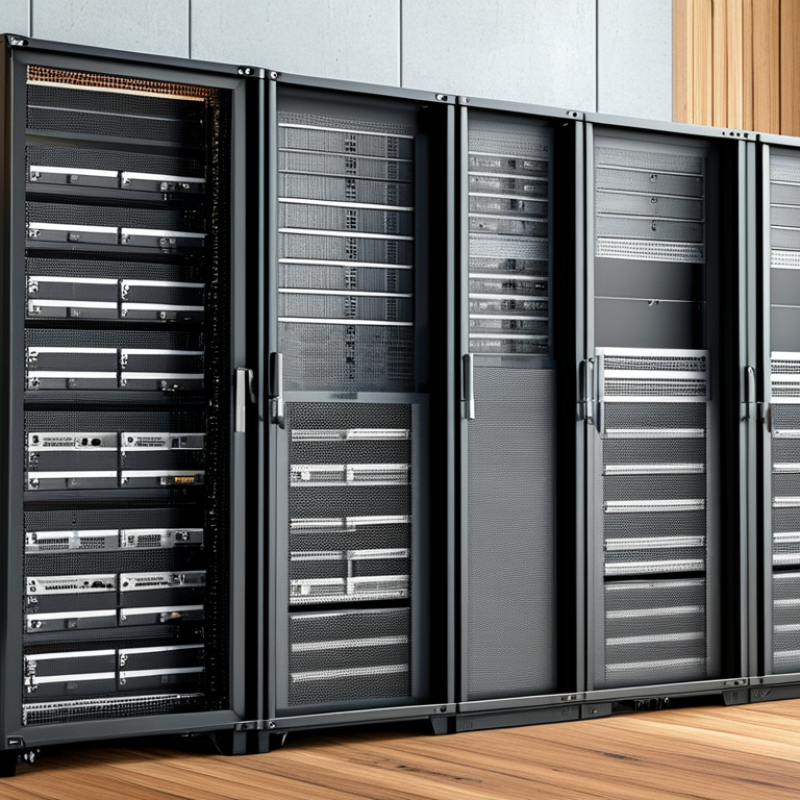
What is the Best Network Cabinet for Your Business Needs?
Selecting the right Network Cabinet for your business can be challenging. The choice significantly impacts your data management and IT infrastructure. A well-designed Network Cabinet ensures efficient operation, security, and organization of equipment.
Many factors come into play when choosing a Network Cabinet. Size, material, and airflow are crucial considerations. An oversized cabinet might waste space, while a small one could lead to overheating. Each business’s needs are unique, and there’s no one-size-fits-all solution.
Reflect on your specific situation. Is your networking gear expanding? Do you need enhanced cooling solutions? Your choices should align with your operational priorities. A thoughtful selection can enhance your network’s performance. However, remember that there is no perfect cabinet; continual evaluation is necessary.
Understanding the Basics of Network Cabinets and Their Importance
Network cabinets play a crucial role in any business's IT infrastructure. They provide a secure space for network equipment, ensuring optimal performance and organization. Understanding their fundamental functions can help businesses make informed decisions. A well-designed cabinet houses essential devices like servers, switches, and routers, safeguarding them from environmental hazards.
Choosing the right cabinet means considering size, ventilation, and accessibility. A tight fit might save space but can lead to overheating. Ensure there's enough airflow; it helps maintain performance and longevity. Additionally, think about routine access. Openings or removable panels are necessary for easy equipment maintenance.
While aesthetics might seem secondary, a cluttered setup can harm efficiency. Strive for balance—functionality and an organized appearance. Reflection on the process is key. Check how well your chosen cabinet meets your evolving needs. Regular assessments can reveal gaps, prompting improvements.
Key Factors to Consider When Choosing a Network Cabinet
Choosing the right network cabinet for your business requires careful consideration. One key factor is size. The cabinet must accommodate your equipment while providing adequate space for airflow. A research report by Frost & Sullivan indicates that 75% of companies experience downtime due to inadequate cooling systems. Therefore, ensuring your cabinet has proper ventilation is crucial.
Next, think about material and durability. Network cabinets are often made of steel or aluminum. A study from MarketsandMarkets reveals that steel cabinets have a longer lifespan and better security features than their aluminum counterparts. However, while steel offers strength, it can be heavier. You may face challenges during installation if your team isn't equipped for the weight.
Lastly, consider accessibility. Ease of access impacts maintenance time. Roughly 60% of IT professionals report delays due to hard-to-reach equipment. It's essential to balance space efficiency with user-friendly designs. Reflect on your team's workflow. Does the layout support productivity? Investing time to assess these needs will benefit your organization in the long run.
Types of Network Cabinets and Their Suitability for Different Businesses
Selecting the right network cabinet is essential for optimizing your business’s IT infrastructure. Different types of cabinets cater to various needs. Wall-mount cabinets are perfect for small offices where floor space is limited. They keep equipment organized while maximizing space. On the other hand, floor-standing cabinets provide more room for servers and networking gear, making them ideal for larger setups.
When choosing a network cabinet, consider ventilation. Proper airflow prevents overheating. Some cabinets come with built-in fans, which could be beneficial. Think about the weight of your equipment too. Make sure the cabinet can support your server and networking gear without compromise.
Tip: Assess your current and future needs. A well-chosen cabinet can adapt as your business grows. It's wise to plan for expansion. Additionally, ensure that your cabinet includes cable management options. This can significantly enhance organization and accessibility. These features help maintain a tidy work environment, so you can focus on your core business functions.
Assessing Size and Capacity Requirements for Your Network Cabinet
When choosing a network cabinet for your business, size and capacity are crucial. Understand the space requirements first. Measure the area where the cabinet will sit. Identify any nearby hardware that may require additional room. Cabinets come in various heights and widths. Choose one that optimizes space without crowding the environment.
Capacity requirements are equally important. Assess the number of network devices you plan to house. Think about future growth. Will you add more equipment down the line? Plan for expansion; it's better to have extra space than to upgrade frequently. Pay attention to airflow and heat dissipation in the cabinet. Proper ventilation keeps your equipment running smoothly.
Many businesses overlook the necessary accessories. Shelves, power strips, and cooling fans can enhance your setup. Review what you need before making a purchase. Consider your team's size and whether they require easy access to the equipment. It’s also wise to consult with IT professionals for insights tailored to your needs. Remember, the right choice now can save you time and resources later.
Best Practices for Maintaining and Organizing Your Network Cabinet
Maintaining and organizing your network cabinet is crucial for optimal performance. Proper organization can prevent downtime and facilitate easier troubleshooting. According to industry reports, well-maintained network cabinets can boost productivity by up to 30%.
Tips for organizing include labeling cables and using color-coded tags. This can quickly identify connections, reducing confusion during maintenance. Keep a neat layout. Overcrowded cabinets can lead to overheating. It's recommended to leave space for airflow. A survey showed that poor airflow accounted for 20% of network failure cases.
Regular checks should be part of the maintenance routine. Inspect cables for wear, and ensure connections are secure. A surprising number of issues stem from loose connections or worn cords. Document everything; this builds a reference for future troubleshooting. Remember, even small errors can lead to larger, costly problems. Regular maintenance reduces risk.
Network Cabinet Size vs. Number of Devices